|
|
动机
前两天翻到了瓦尼最新版本的大宝剑补丁,里面有一个逆序排列的功能非常舒爽,不用再滑到最下面,尤其是二手市场勋章特别多的时候。后来又觉得还有进一步适配不同需求的空间,于是就有了这个脚本。
功能
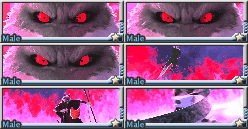
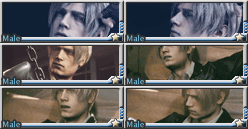
可以在脚本中填入一个收藏列表。二手市场中存在收藏的勋章时,会排到最前显示,并加上红色边框。排序逻辑:优先按照收藏列表的顺序排列。如果在收藏列表中重复填入一个勋章的名称多次,则只计入第一次填入。如果收藏中的勋章在二手市场出现了多枚,则按照出现在市场中的先后顺序排列。
另外左下角也加入了当前收藏列表的UI显示(如果你希望这个脚本的加载速度尽可能快,也可以将这部分代码删除,脚本中已经给出了详细的位置)。
代码
@Name @Match @Icon
- // ==UserScript==
- // @name 二手:勋章排序脚本 带UI
- // @namespace http://tampermonkey.net/
- // @version 0.1
- // @description 将指定标题的勋章排序到最前面并添加黄色边框
- // @author Étoiles
- // @match https://www.gamemale.com/wodexunzhang-showxunzhang.html?action=showjishou
- // @grant none
- // ==/UserScript==
- (function() {
- 'use strict';
- // 配置项 - 在此处添加你喜欢的勋章名称
- const favoriteTitles = [
- "梦中的列车",
- "小阿尔的蛋",
- "红夫人",
- "约翰·康斯坦丁",
- "疾风剑豪",
- "John Reese",
- "小阿尔的蛋",
- "",
- "",
- "",
- "",
- "",
- "",
- ];
- // 勋章排序功能
- function sortMedals() {
- // 获取勋章容器
- const container = document.querySelector('.myfldiv.clearfix');
- if (!container) return;
- // 获取所有勋章块
- const medals = Array.from(container.querySelectorAll('.myblok'));
- // 对勋章进行排序 - 收藏的在前,其他的在后
- medals.sort((a, b) => {
- const aTitle = a.querySelector('p[title]').title;
- const bTitle = b.querySelector('p[title]').title;
- // 检查是否为收藏的勋章
- const aIsFavorite = favoriteTitles.includes(aTitle);
- const bIsFavorite = favoriteTitles.includes(bTitle);
- // 排序规则:
- if (aIsFavorite && !bIsFavorite) return -1;// a是收藏,b不是,a排在前面
- if (!aIsFavorite && bIsFavorite) return 1;// b是收藏,a不是,b排在前面
- if (aIsFavorite && bIsFavorite) {
- // 都是收藏,按配置顺序排序
- return favoriteTitles.indexOf(aTitle) - favoriteTitles.indexOf(bTitle);
- }
- return 0; // 都不是收藏,保持原有顺序
- });
- // 从容器中移除所有勋章
- medals.forEach(medal => container.removeChild(medal));
- // 按排序后的顺序重新添加勋章
- medals.forEach(medal => {
- // 为收藏的勋章添加黄色边框
- const title = medal.querySelector('p[title]').title;
- if (favoriteTitles.includes(title)) {
- medal.style.border = '2px solid red';
- }
- container.appendChild(medal);
- });
- }
- // 页面加载时执行排序
- window.addEventListener('load', sortMedals);
- //-----------从这里开始是DeepSeek自己添加的UI功能 不喜欢的话可以从这里开始删除-----------
- //-----------我个人是觉得没啥必要 反而拖慢页面加载速度 但或许有人用的上就留着了-----------
- // 创建收藏管理UI
- function createFavoriteUI() {
- // 创建UI容器
- const uiContainer = document.createElement('div');
- uiContainer.style.position = 'fixed';
- uiContainer.style.bottom = '10px';
- uiContainer.style.left = '10px';
- uiContainer.style.backgroundColor = 'white';
- uiContainer.style.padding = '10px';
- uiContainer.style.border = 'none';
- uiContainer.style.zIndex = '9999';
- uiContainer.style.borderRadius = '8px';
- uiContainer.style.fontFamily= 'Noto Sans SC, Microsoft Yahei, Arial, sans-serif';
- // 添加标题
- const title = document.createElement('h4');
- title.textContent = '收藏排序';
- title.style.marginTop = '0';
- uiContainer.appendChild(title);
- // 创建收藏列表 - 使用Set去除重复项
- const favoritesList = document.createElement('div');
- const uniqueTitles = [...new Set(favoriteTitles)]; // 去除重复项
- uniqueTitles.forEach(title => {
- const item = document.createElement('div');
- item.textContent = title;
- favoritesList.appendChild(item);
- });
- uiContainer.appendChild(favoritesList);
- // 将UI添加到页面
- document.body.appendChild(uiContainer);
- }
- // 页面加载时创建UI
- window.addEventListener('load', createFavoriteUI);
- //-----------一直删除到这里为止-----------
- })();
来自群组: 星象占卜 |
本帖子中包含更多资源
您需要 登录 才可以下载或查看,没有账号?立即注册
x
评分
-
查看全部评分
|

 [复制链接]
|关注本帖
[复制链接]
|关注本帖

 /1
/1 
 GameMale

 金币
金币 血液
血液 旅程
旅程 追随
追随 知识
知识 咒术
咒术 堕落
堕落 灵魂
灵魂 主题
主题 回帖
回帖 日志
日志 精华
精华 好友
好友 积分
积分
 战士 · I






 楼主
楼主 提升泵
提升泵 亮色刷
亮色刷 小时顶
小时顶 法师 · I











































![霉运小精灵[红]](https://img.gamemale.com/album/202606/09/023747o34vdyv28myyoxmo.gif)